Quick Answer? The best Shopify apps to increase sales focus on five key areas: checkout optimization, product bundling, upselling, customer reviews, and email marketing. Our top picks include Vista Checkout Rule & Discount for checkout customization, Vista Bundles for increasing order values, Judge.me for social proof, and Klaviyo for email automation. The right combination can boost your revenue by 25-40% within the first 90 days.
Looking at the Shopify App Store can feel overwhelming. There are over 11,000 apps available. Which ones actually help you make more sales? Which ones are worth your time and investment?
We have created this guide that is updated frequently and will cut through the noise. We'll show you proven apps across different categories. We will explain what each one does, who it's best for, and how much it costs. Full transparency: we'll include our own apps (Vista Checkout Rule & Discount and Vista Bundles) alongside other industry leaders so you can compare and choose what works for you.
Why the Right Apps Matter for Your Store's Growth
Here's a simple truth: most Shopify stores are not able to grab attention and leave money on the table every single day.
Customers abandon their carts. They buy one item when they could buy three. They never come back for a second purchase, and stores have no right strategy to bring back customers. The right apps fix these problems or help you implement the strategies.
Studies show that stores using the right app combination see 15-30% higher average order value (AOV). They recover more abandoned carts. They turn one-time buyers into repeat customers.
But here's what matters more than having apps: having apps that work together or complement each other. Running an e-commerce business is more about teamwork and it holds true for your apps as well.
How do we select a good Shopify App?
Before we dive into specific apps, let's talk about what to look for when you select any app:
Easy to set up – You shouldn't need a developer to get started. Good apps have simple interfaces, clear instructions, and smooth onboarding.
Clear pricing – No hidden fees or surprise charges. You should know exactly what you're paying for.
Reliable support – When something goes wrong (and it will), you need help fast. Look for apps with responsive support teams. Support should not only be responsive and solution oriented also than the one with AI chatbot-like responses.
Works with other apps – Your apps should complement each other, not create conflicts or slow down your store. We have worked with many Shopify stores that slowed down their sites, hurting SEO and conversions.
Mobile-friendly – Over 70-80% of Shopify traffic comes from smartphones. Your apps must work perfectly on mobile devices. We have seen many good apps look clunky on mobile devices, which makes it difficult for store managers to work smoothly.
Now, let's explore the best apps that we have shortlisted. We have categorized them into 6 categories.
Category 1: Checkout Optimization & Discount Management
The Problem: Customers reach your checkout page and then leave. You don’t want to make checkout complex or surprise them with updated pricing. The most common areas are too many payment methods or shipping methods. Hide unnecessary payment methods like COD if it is not applicable to the customer. Similarly, your discount rules cannot be complex or confusing.
Cart abandonment is still the biggest pain point, and the rates average 70% across all online stores. Even small improvements at checkout can mean thousands of dollars in recovered sales.
Vista Checkout Rule & Discount

What it does: This app gives you complete control over your checkout page. You can customize payment methods, shipping options, and discounts based on specific rules you set. You can even hide the PayPal button on product pages based on various conditions.
Key features that make money:
- Hide or show payment methods based on conditions like cart total, customer location, or product type. For example, hide “Cash on Delivery” for orders over $500 or for international customers.
- Automatic discount rules that apply based on cart value, customer tags, or product combinations. No more product bundles on product pages to confuse customers. Simply apply discounts automatically at checkout without customer intervention.
- Reorder payment methods to show your preferred options first (like the ones with lower fees).
- Set order limits for wholesale customers. Require minimum order quantities automatically.
- Rename payment methods to match your brand language. Change “Cash on Delivery” to “Pay When You Receive.”
Who should use it:
This app works great for stores that sell to both regular customers and wholesale buyers. It's perfect if you sell internationally and need different payment options for different countries. Stores with complex discount strategies love it too.
Why it stands out:
Most checkout customization apps only work on Shopify Plus plans (which cost $2,000+ per month). Vista Checkout Rule & Discount works on all Shopify plans, including the basic $39/month plan. It also offers a free version.
The app requires zero coding knowledge. You set rules using simple dropdown menus and conditions.
Pricing: Free plan available, paid plans start at affordable rates for additional features.
Real-world example:
Imagine you run a clothing store that sells both to regular customers and boutique owners (wholesale). With Vista Checkout Rule & Discount, you can:
- Show “Cash on Delivery” only to customers in your country
- Hide it automatically for wholesale customers (who you've tagged in Shopify)
- Require wholesale orders to be at least 10 items
- Give automatic 20% discounts to wholesale customers without them entering a code
- Show credit card payments first for international orders
All of this happens automatically. No manual work needed.
Alternative: Checkout Customizer Apps
If you're on Shopify Plus, you have more native options built into Shopify. For stores needing extremely complex stacking discount scenarios (like 5+ discounts applying at once), you might look at specialized apps like Bold Discounts.
However, these typically cost more ($29-99/month) and require Shopify Plus subscriptions. For most stores, Vista Checkout Rule & Discount provides everything you need at a fraction of the cost.
Category 2: Product Bundling & Volume Discounts
The Problem: Customers buy one item and leave. You make a sale but your average order value (AOV) stays low. You have slow-moving inventory that could sell better if grouped with popular items.
Product bundling is one of the fastest ways to increase how much customers spend per order. When done right, bundles feel like a deal to customers while increasing your profit margins.
Vista Bundles

What it does: Vista Bundles creates attractive product bundles that encourage customers to buy more items together. Think “Buy 3, Get 20% Off” or “Complete the Set” offers.
Key features that boost sales:
- Fixed bundles where you choose which products go together (like a “Summer Outfit Set”)
- Mix-and-match bundles where customers choose their own combinations from a collection (like “Build Your Own 3-Piece Skincare Set”)
- Volume discounts that automatically apply when customers buy multiple quantities
- BOGO deals (Buy One Get One) and gift-with-purchase promotions
- Real-time inventory sync so you never oversell
- Drag-and-drop builder that makes creating bundles as easy as building with blocks
Who should use it:
Perfect for fashion stores (outfit sets), beauty brands (skincare routines), gift shops (gift baskets), supplement stores (wellness packs), and any store with complementary products.
Why it works:
Bundles tap into customer psychology. People love feeling like they're getting a deal. If you understand your customer’s psychology, you can easily increase sales. When you present products as a curated set, customers perceive higher value. They also make fewer decisions, which reduces choice paralysis.
The best part? Customers often buy bundles they wouldn't have bought separately. A customer might buy one moisturizer. But offer them a “Complete Skincare Routine” bundle with 15% off, and suddenly they're buying three products.
Pricing: Free (limited-time offer )
Real-world example:
A jewellery store creates a “Date Night Collection” bundle:
- Earrings ($40)
- Necklace ($60)
- Bracelet ($35)
Total if bought separately: $135. Bundle price: $110 (20% savings)
Customers feel like they're saving $25. The store increases average order value from $40 (one item) to $110 (three items). Everyone wins.
Or a coffee shop creates “Build Your Own Coffee Box”:
- Choose 3 bags from 12 different roasts
- Get 15% off the total
- Perfect for customers who want variety
Alternative Bundle Apps
Let's be honest about when you might choose something else:
Shopify Bundles (Native, Free)
This is Shopify's built-in bundling feature. It's completely free and lives right in your Shopify admin.
Pros: No monthly cost, simple interface, and reliable.
Cons: Very basic features, limited customization, no advanced discount logic
Best for: Absolute beginners who want to test bundling without spending money, or stores with very simple bundle needs (just fixed bundles, no volume discounts).
Kaching Bundle Quantity Breaks

A premium option with advanced analytics and A/B testing built in.
Pros: Detailed performance data, split testing capabilities, conversion rate optimization tools.
Cons: Higher price point ($19-99/month), steeper learning curve
Best for: Data-driven merchants who want to constantly optimize bundle performance and have a budget for premium tools.
When to use Vista Bundles instead: If you want powerful features without the premium price tag, need excellent customer support, or want something easier to set up than complex enterprise solutions.
Bundler – Product Bundles

Offers 15+ bundle types and subscription integration.
Best for: Very large stores with complex needs like subscription boxes combined with one-time bundles.
The bottom line on bundles: Start with what matches your current needs. If you're just beginning, Shopify's free option lets you test the concept. When you're ready for features that actually drive more revenue (volume discounts, BOGO, mix-and-match), Vista Bundles gives you those tools without overwhelming you or your budget.
Category 3: Upsells & Cross-Sells
The Problem: Customers are ready to buy, but you're not showing them related products they might want. They complete their purchase with one item when they would have added more.
Upselling means suggesting a better version of what someone's buying. Cross-selling means suggesting related items. Both increase order values without needing more traffic.
iCart Cart Drawer Cart Upsell
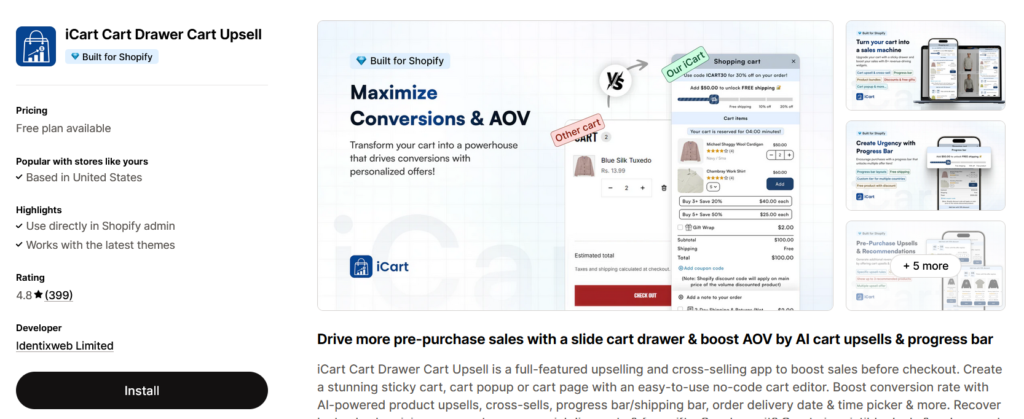
What it does: Adds a sliding cart drawer (instead of sending people to a separate cart page) with smart product recommendations.
Key features:
- Sticky cart that follows customers as they browse
- Progress bars (“Spend $20 more for free shipping!”)
- Product recommendations based on cart contents
- One-click add-to-cart for suggested items
Best for: Stores that want to add upsells without disrupting the shopping experience.
Pricing: Multiple tiers starting around $12.99/month.
Why it works: Customers stay on the same page. They see suggestions without feeling pushed. The progress bar toward free shipping is especially powerful for increasing order values.
BOLD AI Upsell & Cross‑Sell
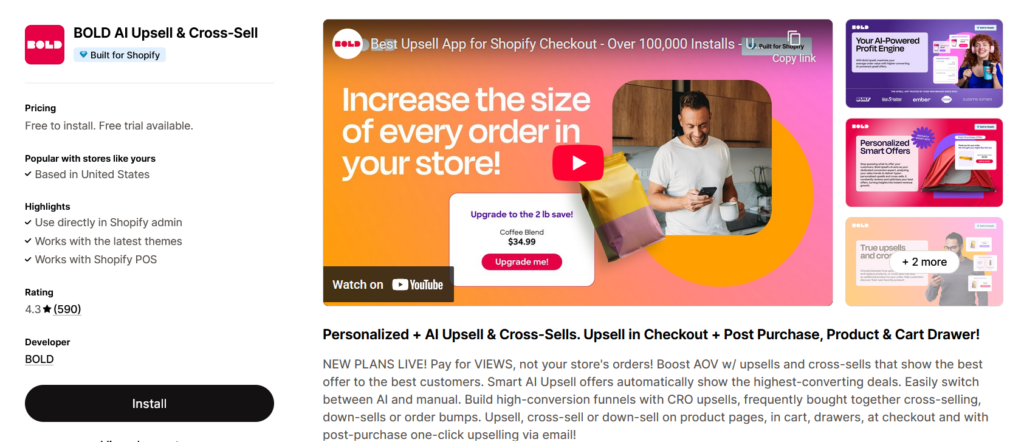
What it does: Creates post-purchase upsell offers that appear after someone completes their order.
Key features:
- One-click upsell offers (no re-entering payment info)
- Works immediately after checkout
- A/B testing for different offers
- Time-sensitive deals
Best for: Stores with strong product relationships (customers who buy X often want Y).
Pricing: $9.99-$399.99/month depending on order volume.
Why it's powerful: The customer is already committed to buying. Their credit card has already been processed. Adding one more item takes literally one click. Conversion rates on post-purchase offers are often 10-20%.
Important note: Bold Upsell requires Shopify Payments and doesn't work in all countries.
How These Work with Vista Apps
Think of it like this:
- Vista Bundles creates the deals that make customers want to buy more
- Upsell apps suggest individual products to add on top
- Vista Checkout Rule & Discount applies the right discounts and payment options at checkout
They each play a different role. Use them together for maximum results.
For example, A customer adds a “Build Your Own 3-Pack” bundle (Vista Bundles) to their cart. The cart drawer (iCart) suggests a related single product. At checkout, Vista Checkout Rule & Discount automatically applies their wholesale discount if they're tagged.
Category 4: Social Proof & Reviews
The Problem: Visitors don't trust your store yet. Without reviews, they hesitate to buy. You're losing sales to competitors who have hundreds of 5-star reviews. So, start collecting reviews from day 1!
Almost all customers read reviews before buying (do you?). Products with reviews convert better than products without reviews as reviews bring in trust.
Judge.me Product Reviews

What it does: Collects and displays customer reviews automatically.
Key features:
- Automated review request emails after purchase
- Photo and video reviews
- Google Shopping integration (reviews appear in Google search)
- Review widgets for your product pages
- Import reviews from other platforms
- Incentivize reviews with discount codes
Best for: Any store that wants to build trust and improve SEO.
Pricing: Free plan available (for basic features), $15/month for advanced features.
Why Judge.me stands out:
The free plan is genuinely useful, not just a trial. Most stores can use it indefinitely. The Google Shopping integration means your reviews show up in Google search results with star ratings, which dramatically improves click-through rates.
Real impact: Product pages with Judge.me reviews typically see 20-30% higher conversion rates than pages without reviews.
Yotpo Product Reviews
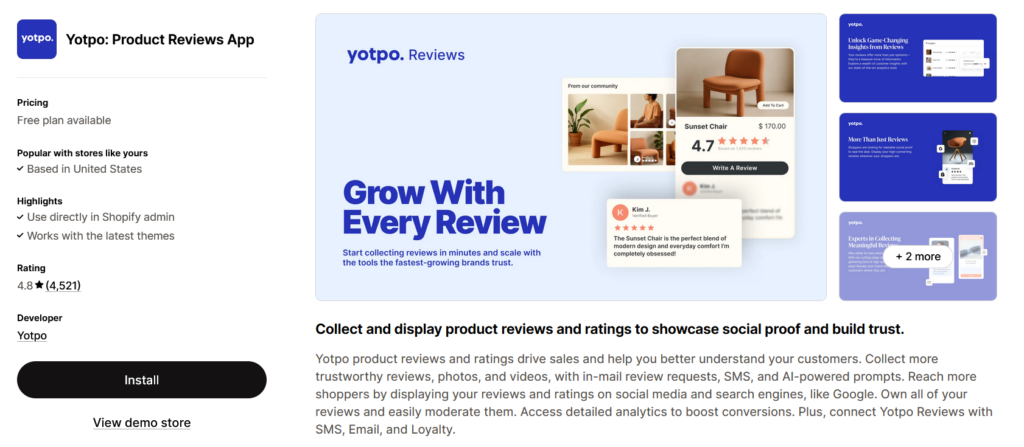
What it does: All-in-one platform for reviews, referrals, and SMS marketing.
Key features:
- Everything Judge.me does at a lower price.
- Advanced analytics dashboard
- Instagram and Google integration
- User-generated content galleries
Best for: Larger brands that want one platform for multiple functions.
Pricing: Free plan available, but premium features cost significantly more (starting around $19/month, going up to $1,000+/month for enterprise).
When to choose Yotpo: If you're ready to invest in a complete retention marketing suite and have the budget for it. If you just need reviews, Judge.me is more cost-effective.
Loox Visual Product Reviews
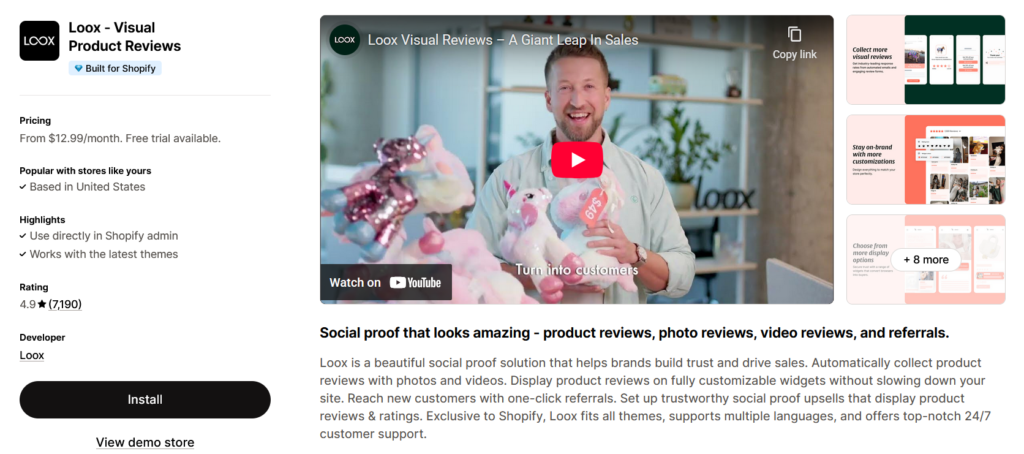
What it does: Focuses heavily on photo reviews and visual social proof.
Key features:
- Photo review collection (with automatic incentives)
- Beautiful review displays
- Instagram integration
- Referral program built-in
Best for: Visual products like fashion, beauty, and home decor, where seeing the product in real life matters.
Pricing: $9.99-$299.99/month based on order volume.
How Reviews Work with Your Other Apps
Reviews build trust. Trust increases conversion rates. Higher conversion rates mean more people reaching checkout where your Vista apps work their magic.
The sequence is simple:
- Reviews convince visitors to add products to the cart
- Vista Bundles encourages them to add more items
- Vista Checkout Rule & Discount makes checkout smooth with the right payment options and automatic discounts
- Customer completes purchase
- Review app requests feedback
- Cycle repeats with new visitors
Category 5: Email & SMS Marketing Automation
The Problem: Customers visit once and never come back. You have no way to communicate with people who abandon their carts. You're not building a customer list.
On average, email marketing returns $36-$42 for every dollar spent in our case studies. It's still the highest ROI marketing channel.
Klaviyo – Email Marketing & SMS
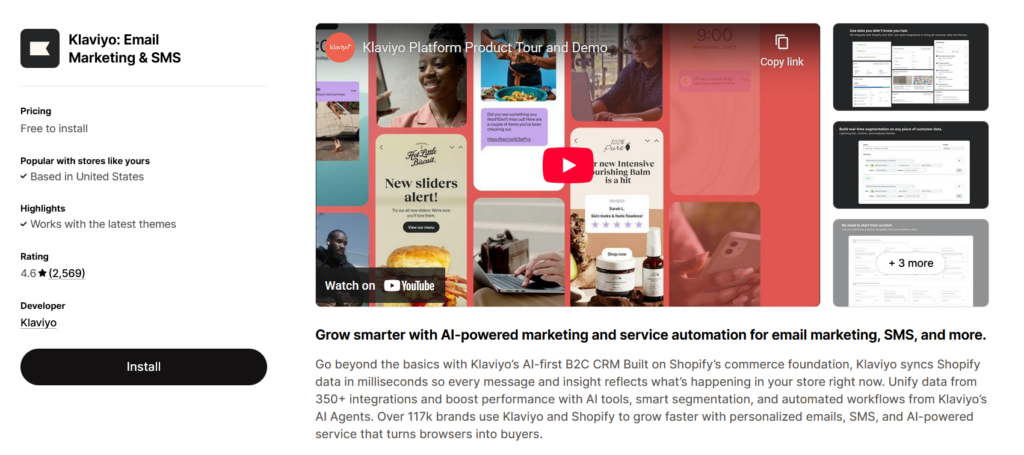
What it does: Automated email and SMS campaigns that send the right message at the right time.
Key features:
- Abandoned cart recovery emails (automatic)
- Welcome series for new subscribers
- Post-purchase follow-up sequences
- Customer segmentation (send different messages to different groups)
- Predictive analytics (knows who's likely to buy next)
- SMS campaigns
- Beautiful email templates
Best for: Growing stores ready to invest in customer retention.
Pricing: Free up to 250 contacts, then starts at $20/month and scales with your list size.
Why Klaviyo dominates: It's the most powerful email platform for e-commerce. The automation capabilities are unmatched. You can create incredibly specific segments and flows.
Real scenario:
- Someone abandons their cart
- 1 hour later: First reminder email (“You left something behind!”)
- 24 hours later: Second email with 10% discount
- 72 hours later: Final email with customer reviews of the product
All automatic. Klaviyo users typically recover 5-15% of abandoned carts.
Omnisend – Email Marketing & SMS
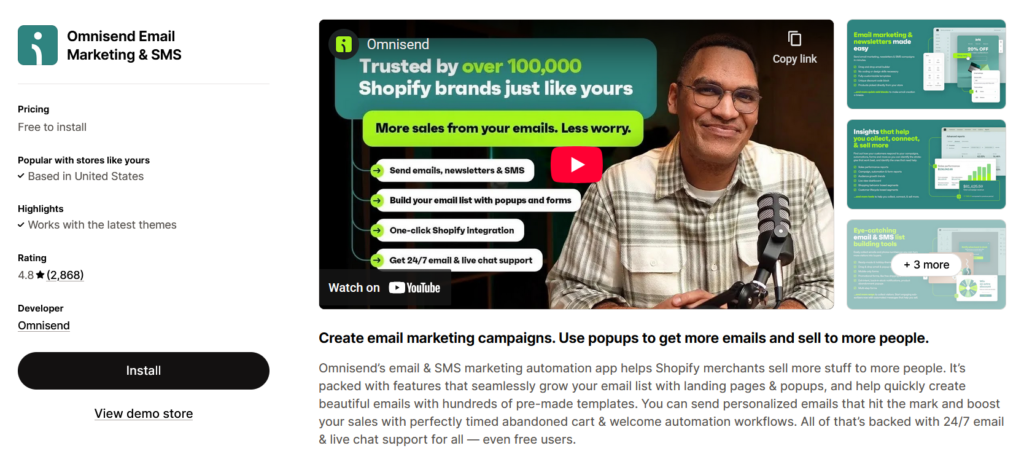
What it does: Similar to Klaviyo but easier to use and more affordable.
Key features:
- Abandoned cart emails
- Welcome series
- Pre-built automation workflows
- Email and SMS campaigns
- Pop-up forms
- Product recommendations in emails
Best for: Small to medium stores that want good automation without Klaviyo's complexity or cost.
Pricing: Free up to 250 contacts and 500 emails/month, paid plans start at $16/month.
Why choose Omnisend: If Klaviyo feels overwhelming or too expensive, Omnisend gives you 80% of the power at 60% of the cost. The common feedback from most of the stores is the cost. Although we find the Omnisend interface is more friendly for beginners.
Postscript SMS Marketing
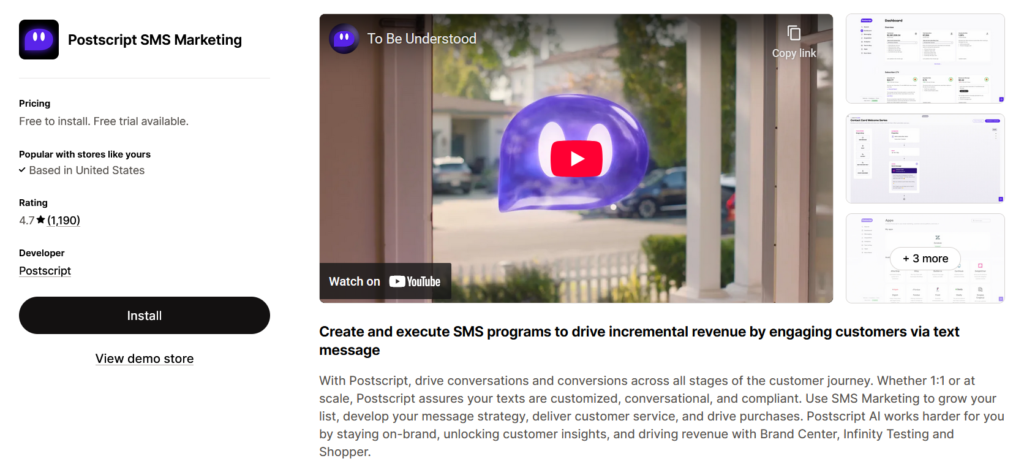
What it does: Specializes in SMS marketing (text messages).
Key features:
- Abandoned cart texts
- Welcome texts for new subscribers
- Promotional campaigns
- Keyword triggers (customers text a word, get a response)
- Two-way conversations
Best for: Stores with younger audiences or products that work well with text marketing.
Pricing: Pay per message sent (around $0.015 per SMS).
SMS reality check: SMS has 98% open rates compared to 20% for email. But customers are more selective about giving their phone numbers. Use it strategically, not as your only channel.
How does Email Marketing help in increasing sales?
Here's the perfect scenario:
- Email brings them back: Klaviyo/Omnisend sends an abandoned cart email
- They return to your site: Click the email link
- Vista Bundles catches their eye: “Complete your outfit” suggestion appears
- They add more items: Bundle deal is too good to pass up
- Vista Checkout optimizes purchase: The Right payment method shows, automatic discount applies
- They buy: Higher order value than the original abandoned cart
- Email keeps them engaged: Post-purchase sequence turns them into repeat customers
Each tool is part of the team and as an important role to play.
Category 6: Conversion Rate Optimization (CRO)
The Problem: People visit your store but don't buy. You don't know why. You're guessing at what might work instead of knowing what actually works.
OptinMonster – Lead Capture & Popups
What it does: Creates popups, slide-ins, and other lead capture forms to grow your email list and reduce abandonment.
Key features:
- Exit-intent technology (popup appears when someone's about to leave)
- Spin-to-win gamified popups
- Countdown timers
- Targeting rules (show different popups to different visitors)
- Mobile-specific campaigns
Best for: Stores that need to grow their email list or recover abandoned visitors.
Pricing: $9-$49/month.
Reality check: Popups can be annoying if overdone. Use exit-intent (only appears when leaving) and don't show the same popup repeatedly to the same person.
Lucky Orange – Heatmaps & Session Recording
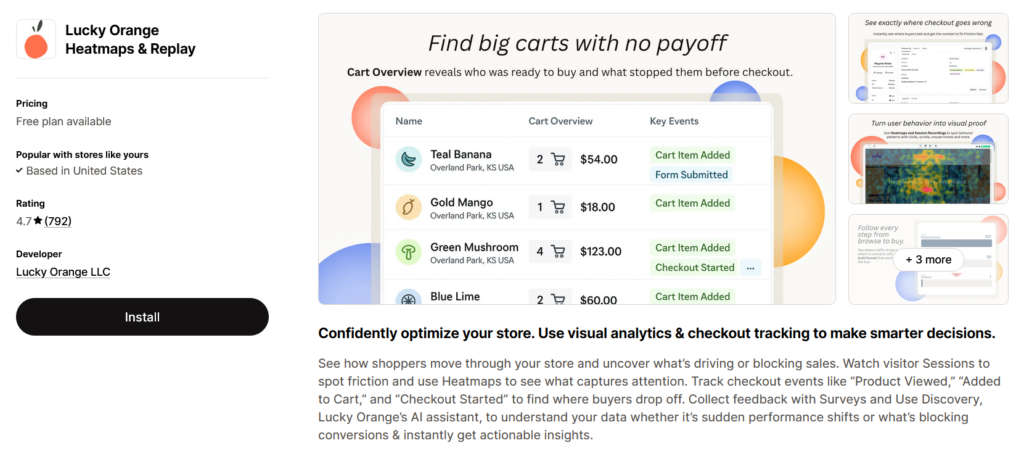
What it does: Shows you exactly what visitors do on your site through heatmaps and video recordings.
Key features:
- Session recordings (watch real visitors use your site)
- Heatmaps (see where people click and scroll)
- Conversion funnels (see where people drop off)
- Live visitor list (see who's on your site right now)
- Form analytics (see which form fields cause problems)
Best for: Stores that want to understand why visitors aren't converting.
Pricing: $10-$200/month based on pageviews.
What you'll learn: You'll see things like:
- “Everyone clicks this image thinking it's a link, but it's not”
- “People abandon the form at the phone number field”
- “Nobody scrolls down to see our reviews”
These insights are gold. They tell you exactly what to fix.
Ultimate Guide to Building Your Perfect Shopify App Stack
Now comes the important part: putting it all together. You don't need every app mentioned here. You need the right combination for your specific situation.
The Foundation Stack (Every Store Needs This)
Start here regardless of your store type:
- Checkout optimization: Vista Checkout Rule & Discount (free plan to start)
- Reviews: Judge.me (free plan to start)
- Email marketing: Klaviyo or Omnisend (free plan to start)
Why these three: They solve the most common problems (cart abandonment, trust, customer retention) and all have free plans to test.
Cost to start: $0/month
Once you see results (usually 2-4 weeks), add:
- Bundle/AOV booster: Vista Bundles
- Analytics: Lucky Orange (if conversion rate is below 2%)
Total monthly cost: $30-50/month, depending on plans chosen
Recommended Shopify App Stacks by Store Type
Fashion & Apparel Stores
The apps:
- Vista Bundles (outfit combinations)
- Judge.me (reviews with photos)
- Klaviyo (customer retention)
- Vista Checkout Rule & Discount (seasonal promotions)
Why this works: Fashion is visual and benefits from photo reviews. Bundles create “complete the look” sets. Email marketing brings back seasonal shoppers.
Expected results: 35-45% increase in average order value from bundles, 20-30% higher conversion from reviews.
B2B & Wholesale Stores
The apps:
- Vista Checkout Rule & Discount (CRITICAL – must have)
- Klaviyo (relationship building)
- Lucky Orange (optimize bulk order flow)
Why this works: B2B needs different pricing, payment methods, and order minimums for different customer types. Vista Checkout handles all of this automatically.
Expected results: Eliminate 10+ hours per week of manual order management, reduce order errors by 80%.
Beauty & Cosmetics Stores
The apps:
- Vista Bundles (skincare routines, makeup sets)
- Loox or Judge.me (photo reviews are essential)
- Klaviyo (product education sequences)
- iCart (cross-sell related products)
Why this works: Beauty customers want to see products on real people (photo reviews). Bundles create “complete routines.” Education emails build trust for premium products.
Expected results: 40-50% increase in average order value, 25-35% higher conversion rates.
Food & Beverage Stores
The apps:
- Vista Bundles (variety packs, gift sets)
- Judge.me (taste and quality reviews)
- Klaviyo (reorder reminders)
- Vista Checkout Rule & Discount (subscription discounts)
Why this works: Food benefits from “try multiple flavors” bundles. Reorder reminders bring customers back when they're running low.
Expected results: 30-40% of customers order bundles vs single items, 25% increase in repeat purchase rate.
Home & Garden Stores
The apps:
- Vista Bundles (room sets, starter kits)
- Judge.me (photo reviews showing products in homes)
- Omnisend (seasonal campaigns)
- OptinMonster (capture high-consideration shoppers)
Why this works: Home goods have longer consideration periods. Exit-intent popups capture emails. Seasonal campaigns match buying patterns. Bundles help customers envision complete spaces.
Budget-Conscious Shopify App Stack (Under $50/month)
If you're just starting or working with a tight budget:
- Vista Checkout Rule & Discount (Free plan)
- Shopify Bundles (Free native app)
- Judge.me (Free plan)
- Omnisend (Free plan up to 250 contacts)
Total cost: $0/month initially
As you grow, upgrade:
- Month 2-3: Add Vista Bundles ($X/month) when you're ready for advanced bundling
- Month 3-4: Upgrade Judge.me ($15/month) for advanced features
- Month 4-5: Upgrade Omnisend ($16/month) as your email list grows
This approach lets you: Test everything before spending money, scale your app investment as revenue grows.
Implementation Strategy: Your First 90 Days
Don't install everything at once. Here's a proven rollout schedule:
Phase 1: Foundation (Week 1-2)
Install and configure:
- Vista Checkout Rule & Discount
- Judge.me
Set up:
- Basic payment method rules (hide COD for high-value orders)
- Automated review request emails
- Review display on product pages
Focus on: Getting your foundation right before adding complexity.
Expected quick wins: Cleaner checkout experience, first reviews coming in.
Phase 2: Increase Order Value (Week 3-4)
Add:
- Vista Bundles
- Cart drawer app (iCart or similar)
Create:
- 3-5 high-performing bundles based on products often bought together
- Cross-sell recommendations in cart
Focus on: Increasing average order value.
Expected results: 20-30% increase in average order value for customers who buy bundles.
Phase 3: Retention & Recovery (Week 5-8)
Add:
- Email marketing platform (Klaviyo or Omnisend)
Set up:
- Abandoned cart email sequence (3 emails)
- Welcome series (2-3 emails)
- Post-purchase follow-up
Focus on: Bringing back visitors and building a repeat customer base.
Expected results: Recover 5-15% of abandoned carts, 10-20% increase in repeat purchases.
Phase 4: Optimization (Week 9-12)
Add (if needed):
- Analytics tool (Lucky Orange or Hotjar)
- Lead capture tool (OptinMonster)
Analyze:
- Which bundles perform best
- Where customers drop off
- Which email sequences convert best
Focus on: Doubling down on what works, fixing what doesn't.
Expected results: Another 10-15% improvement across all metrics.
How to Measure the Success of Your Shopify Store?
Apps only matter if they make you money. Here's what to track:
Key Metrics to Monitor Weekly
Average Order Value (AOV):
- Before bundles: $X
- After bundles: $Y
- Target: 25-35% increase
Conversion Rate:
- Before optimization: X%
- After optimization: Y%
- Target: 20-30% improvement
Cart Abandonment Rate:
- Before email recovery: X%
- After email recovery: Y%
- Target: Recover 5-15% of abandoned carts
Revenue Per Visitor:
- Calculate: Total revenue ÷ total visitors
- Track weekly
- Target: 15-25% increase over 90 days
Attribution by App
Most Shopify apps show their impact in analytics:
- Klaviyo shows “revenue attributed to email”
- Bundle apps show “bundle conversion rate”
- Review apps show “conversion rate with reviews vs without”
Check these monthly to ensure each app earns its keep.
ROI Calculation
Simple formula: ROI = (Additional Revenue – App Costs) ÷ App Costs × 100
Example:
- Vista Bundles costs: $X/month
- Additional revenue from bundles: $1,500/month
- ROI: ($1,500 – $X) ÷ $X × 100 = Y%
Minimum acceptable ROI: 300% (every $1 spent on apps should generate $3 in additional revenue)
Common Mistakes to Avoid
Mistake #1: App Overload
The problem: Installing 20+ apps because each one sounds good.
What happens: Your store slows down. Apps conflict with each other. You pay for features you don't use.
The fix: Start with 3-5 core apps. Add more only when you've maxed out the current ones.
Mistake #2: Ignoring Mobile Experience
The problem: Apps look great on desktop, terrible on mobile.
What happens: 70% of your visitors have a bad experience. Sales suffer.
The fix: Test every app on your phone before going live. If the mobile experience isn't perfect, don't use that app.
Mistake #3: Set-and-Forget Mentality
The problem: Installing apps but never checking their performance.
What happens: You waste money on apps that don't help. You miss opportunities to optimize.
The fix: Monthly app review. Check analytics for each app. Keep what works, remove what doesn't.
Mistake #4: No Testing
The problem: Creating one bundle or one email sequence and assuming it's optimal.
What happens: You leave money on the table because better versions exist.
The fix: Test different bundle combinations, discount amounts, and email subject lines. Let data decide what works best.
Mistake #5: Forgetting Integration
The problem: Installing apps that conflict with each other or duplicate functionality.
What happens: Confused customers, technical issues, wasted money.
The fix: Before installing a new app, think about how it fits with existing ones. Do they complement each other or compete?
Mistake #6: Copying Competitors Exactly
The problem: “My competitor uses these 15 apps, so I should too.”
What happens: You pay for apps you don't need that don't match your business model.
The fix: Understand why an app works for others, then evaluate if your store has the same needs.
Frequently Asked Questions
How many apps should I install?
Start with 3-5 core apps covering checkout, reviews, and email. Most successful Shopify stores use 7-12 apps total. More isn't always better.
Will apps slow down my store?
Some apps do affect speed. Prioritize apps that load asynchronously (in the background). Test your site speed after installing each app using Google PageSpeed Insights.
Do I need different apps for different countries?
Not usually. Most apps work globally. However, payment method customization (like Vista Checkout Rule & Discount) becomes crucial for international stores since payment preferences vary by country.
Can I use Vista Bundles and the Vista Checkout Rule together?
Absolutely. They're designed to complement each other. Vista Bundles creates the deals, Vista Checkout applies additional rules at payment.
What if I'm on a tight budget?
Start with free plans: Vista Checkout Rule & Discount (free plan), Judge.me (free plan), Omnisend (free plan), Shopify Bundles (free). This gives you powerful functionality at $0/month.
How long before I see results?
Checkout optimization: Immediate Reviews: 2-4 weeks (need time to collect) Bundles: Immediate Email marketing: 2-3 weeks (need to build sequences). Most stores see measurable improvement within 30 days.
Should I hire someone to set these up?
Most apps are designed for non-technical users. You can set them up yourself, following the app documentation. If you're completely overwhelmed, a Shopify Expert can help for $300-1,000, depending on complexity.
What if an app doesn't work with my theme?
Reputable apps support all modern themes. If you encounter issues, contact the app's support team. Most respond within 24 hours and can resolve conflicts.
Final Thoughts
Here's what we've covered:
The best Shopify apps to increase sales focus on five areas: checkout optimization, bundling, upselling, social proof, and email marketing.
Start with the foundation: Vista Checkout Rule & Discount, Judge.me, and an email platform. These three apps solve the most common problems keeping you from more sales.
Add bundles next: Vista Bundles or a similar app to increase average order value. This is often the fastest way to boost revenue without needing more traffic.
Optimize and scale: Use analytics tools to understand what's working. Add more sophisticated upsell and marketing automation as you grow.
The reality: The right app combination can increase your revenue by 25-40% within 90 days. We see this consistently across stores of all sizes.
But apps alone aren't magic. They're tools. You still need good products, clear communication, and fair prices. Apps amplify what's already working by removing friction and increasing order values.
3 thoughts on “Best Shopify Apps to Increase Sales: A Complete Guide”
Comments are closed.