
By Navdeep Soni, SEO consultant and Shopify app developer. Disclosure: I build Vista Bundles, which is covered later in this article. The native Shopify options come first and are judged on their merits.
Should you sell multi-packs as quantity breaks or as pack variants?
Short answer: If your “3-pack” is simply three of the same single item, use quantity breaks (“buy 3, save 10%”) so inventory, reporting and fulfilment stay on one SKU. Create a separate pack variant only when the pack is a physically different product: its own barcode, its own box, its own stock count. Most consumables stores (coffee, supplements, pet food, skincare, candles) fall into the first group.
The rest of this guide shows why, what each setup costs you in day-to-day operations, and a worked margin example you can copy.
What problem are you actually solving?
The search usually sounds like: “I want a 1-pack, 3-pack, and 6-pack with a lower price per unit.” That hides two separate decisions:
- How the shopper chooses. Dropdown, buttons, or a tier selector on the product page.
- How your systems record the sale. Which SKU is deducted, what your reports show, what your warehouse picks.
Merchants usually pick based on the first decision (what looks easy to set up) and live with the consequences of the second for years. That is the part worth getting right.
What can Shopify do natively for multi-pack pricing?
There are two native routes, and both work without Shopify Plus.
Route A: pack variants. Add an option such as “Pack size” with values 1, 3, and 6. Each variant gets its own price, SKU, and inventory count. Put the full single-unit total in the compare-at price, and the product page shows a strikethrough price and the savings. This is a real advantage: shoppers see the savings before adding to cart.
Route B: automatic discounts with a minimum quantity. In Discounts, create an automatic “Amount off products” discount with a minimum quantity of items (for example, 10% at 3 units, 15% at 6). Inventory stays on the single SKU. The limitation is display. Shopify applies automatic discounts in the cart and checkout, so the product page keeps showing the full price. Shoppers only discover the tier after adding to cart, and tiers are effectively invisible while they decide how many to buy. If two quantity rules can both apply to the same order and are not set to combine, check what Shopify actually applies at checkout instead of assuming the larger tier wins.
| Pack variants | Automatic discount (min. quantity) | |
|---|---|---|
| Savings visible on product page | Yes, via compare-at price | No, cart and checkout only |
| Inventory | Separate count per pack size | One count on the single SKU |
| Units-sold reporting | A 6-pack counts as 1 unit | Counts real units |
| Shopper can pick any quantity | No, only the preset packs | Yes |
| Setup effort | One variant per pack size, per product | One rule per tier |
Why do pack variants cause inventory and reporting problems?
A pack variant is a separate sellable item. Shopify does not know that a 6-pack contains six singles unless you tell it, so you end up allocating stock by hand.
Say you hold 120 bags of coffee. To sell three formats, you split stock across variants, for example, 60 singles, 12 three-packs (36 bags) and 4 six-packs (24 bags). That allocation is a forecast. If six-packs sell out while 60 singles are still on the shelf, the six-pack option shows “sold out” until someone moves stock between variants. Sell the other way round, and you must remember to reduce the other counts, or you will oversell.
Reporting skews too. An order with one “6-pack” line item is one unit sold in your reports, although six bags left the warehouse. Reorder points and velocity numbers built on units sold will understate demand.
None of this is a problem if the pack is a distinct product. A sealed gift box with its own barcode is a real SKU and should be a variant. The trouble starts when you use variants only as a pricing device.
How do you set up quantity-break pricing step by step?
- Work out your unit economics first. Product cost, packaging, and the extra shipping weight each additional unit adds.
- Choose the first break. Two units is the most common starting point, because it is the smallest move up from a single purchase. Tiers like 3 and 6 suit products used regularly.
- Set each tier's discount from margin, not from competitors. Check that contribution per order still grows as the shopper buys more (see the example below).
- Pick the delivery method. Native automatic discounts if you accept cart-only visibility, or an app that renders tiers on the product page.
- Test as a customer. Add 1, 3 and 6 units, switch currency or market if you sell internationally, and confirm the product page, cart and checkout all show the same total.
What does it look like with real numbers?
Illustrative example: a 250 g coffee bag priced at $18.00. Product cost is $7.00 and variable fulfilment and shipping cost is $1.50 per unit, so each unit costs $8.50 to deliver. Payment processing fees are left out to keep the maths clear; add them in your own sheet.
| Tier | Discount | Price per unit | Order total | Order cost | Contribution | Margin |
|---|---|---|---|---|---|---|
| 1 bag | none | $18.00 | $18.00 | $8.50 | $9.50 | 52.8% |
| 3 bags | 10% | $16.20 | $48.60 | $25.50 | $23.10 | 47.5% |
| 6 bags | 15% | $15.30 | $91.80 | $51.00 | $40.80 | 44.4% |
What this shows:
- Average order value rises from $18.00 to $48.60 to $91.80.
- Margin percentage falls as the tiers deepen, but money in the bank per order rises from $9.50 to $23.10 to $40.80. That is the trade you are making deliberately.
- Push the six-bag tier to 25% off, and you get a $13.50 unit price, an $81.00 order, and $30.00 contribution at a 37.0% margin. The order is still profitable, but you hand over $10.80 compared with the 15% tier, so check it against your fixed costs and ad spend.
No conversion lift is assumed here. The example only tells you whether a tier is affordable, not whether shoppers will respond to it.
When is each approach the wrong choice?
- Skip quantity breaks when the pack is a different physical product (a sealed 6-pack with its own barcode, or a case pack your 3PL stocks as a separate SKU). Model it as a variant.
- Skip pack variants if you sell more than one or two products with this pattern, because the per-product variant and stock allocation work multiplies.
- Skip native automatic discounts alone if shoppers decide on the product page and you want tiers visible there. Native discounts will not show them.
- Skip deep tiers entirely if your margin per unit is thin. Fix the unit economics before discounting.
Where does Vista Bundles fit?
The gap above is specific: Route A shows savings but splits your inventory, and Route B keeps inventory clean but hides the tiers. I built Vista Bundles to fill that gap.
- It shows “buy more, save more” quantity-break tiers on the product page, so the shopper sees each tier before choosing a quantity.
- Discounts are enforced at checkout through Shopify Cart Transform and Functions, as well as shown on the storefront, so the price on the product page is the price the shopper pays.
- It installs as a theme app extension, so you do not edit theme code.
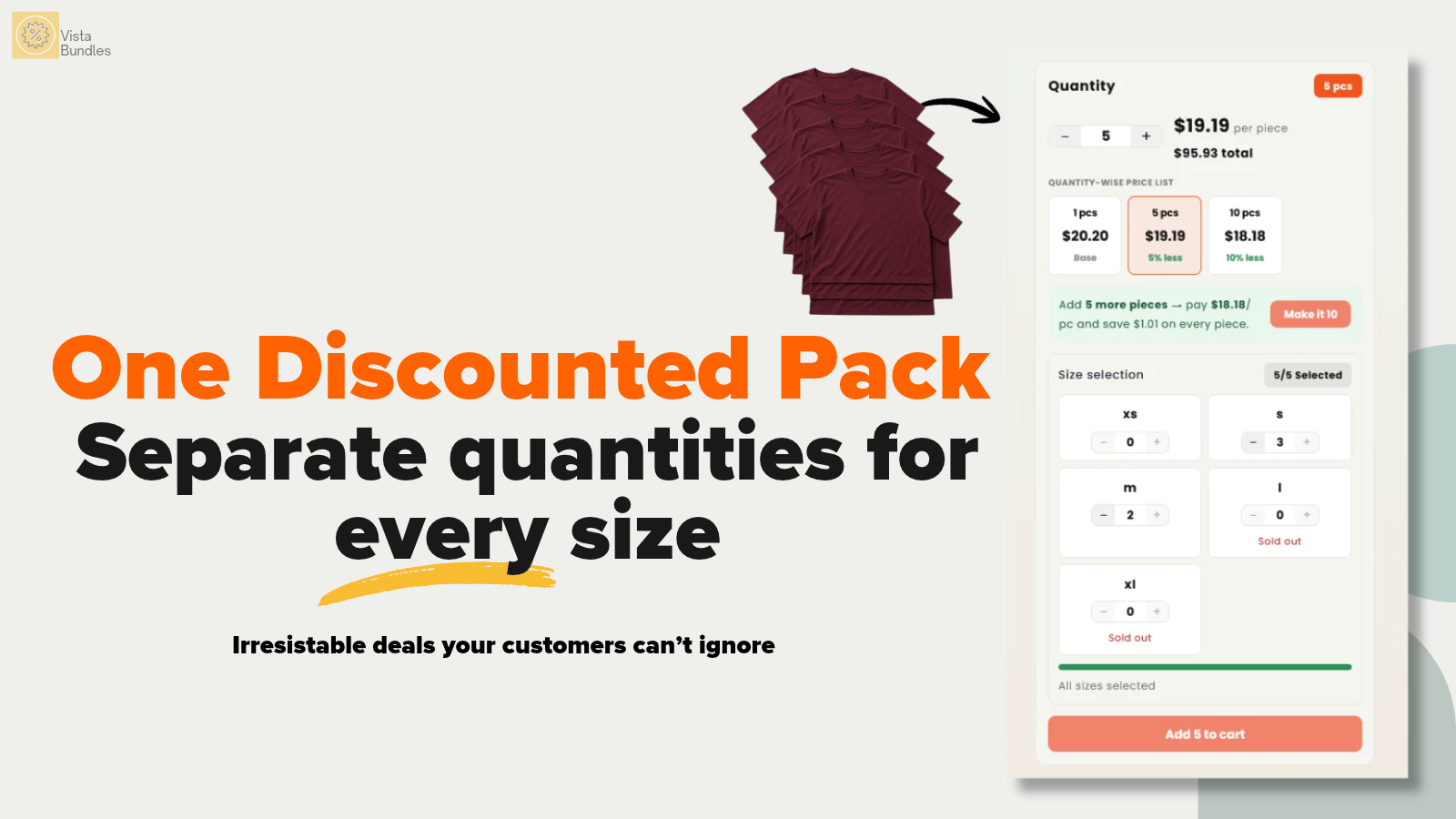
Inventory is deducted when a shopper buys a tier (expected: per-unit on the single SKU).
If you also sell fixed sets of different products, Vista Bundles handles those too. See quantity break vs. bundle discount: which raises average order value, and how to choose between the two.
Get Vista Bundles on the Shopify App Store
FAQ
Will a quantity discount show on my Shopify product page?
Not with native automatic discounts. Shopify applies them in the cart and checkout. You can show a saving natively only by editing compare-at prices, which works for pack variants but not for quantity-based rules. Related: Shopify automatic discount not showing on product page.
Do I need Shopify Plus for multi-pack pricing?
No. Pack variants and automatic quantity discounts are both available on standard plans.
Should tiers use a percentage or a fixed price per unit?
Percentages are simpler to maintain across price changes. Fixed per-unit prices are easier for shoppers to read. Whichever you pick, run the margin table above for every tier.
What should my first tier be?
Start at two units unless your product is bought in sets. Check the contribution per order at that tier before adding deeper ones.
Author note for editor: byline should link to an author page with Person schema (sameAs: LinkedIn, developer profile). Add one real store scenario or dev-store screenshot from your own testing under the inventory section if you have it; do not publish any figure that is not calculated or verified.
1 thought on “How to Price Multi-Packs on Shopify: Quantity Breaks vs. Separate Pack Variants”
Comments are closed.